When schools shop for transport software, the conversation usually jumps straight to live GPS tracking. It makes a good demo. But the questions the transport desk gets every day are more ordinary: which bus is this child on, who actually boarded this morning, and has that stop change been approved?
Those are record-keeping problems, and you can solve them without fitting a tracker to anything. I should say plainly that our own transport module does not include live GPS tracking, so I have a stake in this view. If live tracking is what your parents are demanding, you should look for it specifically.
What the transport desk needs
- Routes and stops: named stops in order, with pickup and drop times, and fares.
- Vehicles and crew: each bus with its driver and conductor.
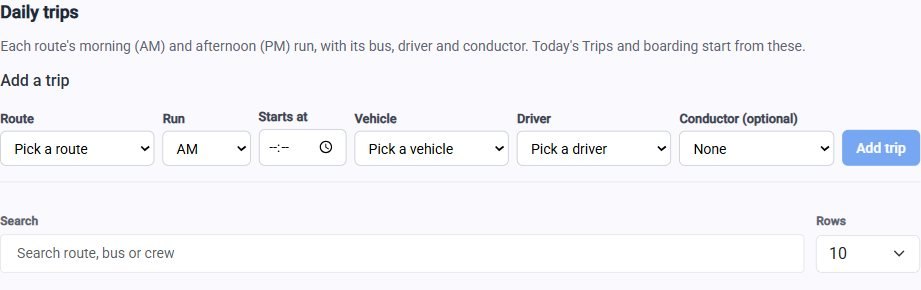
- Daily trips: the morning and afternoon run for each route.
- Assignments: which child is on which stop, searchable by the office.
- Boarding: the crew marks who got on, from a phone.
- Stop changes: a parent asks, the office approves, and the assignment changes from a chosen date.
- Reports: so that the office can answer questions without phoning the driver.
Boarding records answer the question parents ask
A moving dot on a map tells a parent where the bus is. A boarding record tells the school whether a particular child got on it. After an incident, the second is the one you will need. Whatever system you choose, ask how boarding is marked and who can see it.
When GPS is worth it
GPS tracking is worth paying for if you have long routes, frequent delays, or parents who make it a condition of admission. Ask what it really costs: devices for each bus, a data plan for each device, and someone to deal with them when they stop reporting. Also ask whether it replaces a boarding record or simply sits beside it. A map without a roster solves only half of the problem.
How CrossKloud School handles it
The transport module on our Complete plan covers routes, stops, vehicles and crew, daily trips, boarding marked on a phone, and parents' stop changes with office approval. There are no trackers to install, and no GPS, as I said above. You can see it alongside everything else on the feature page, compare plans on the pricing page, or book a free demo and bring your route list.