
Control Panel
Update, back up, restore, move to another PC, open your folders, and stop the app, from inside the app.
#What it is
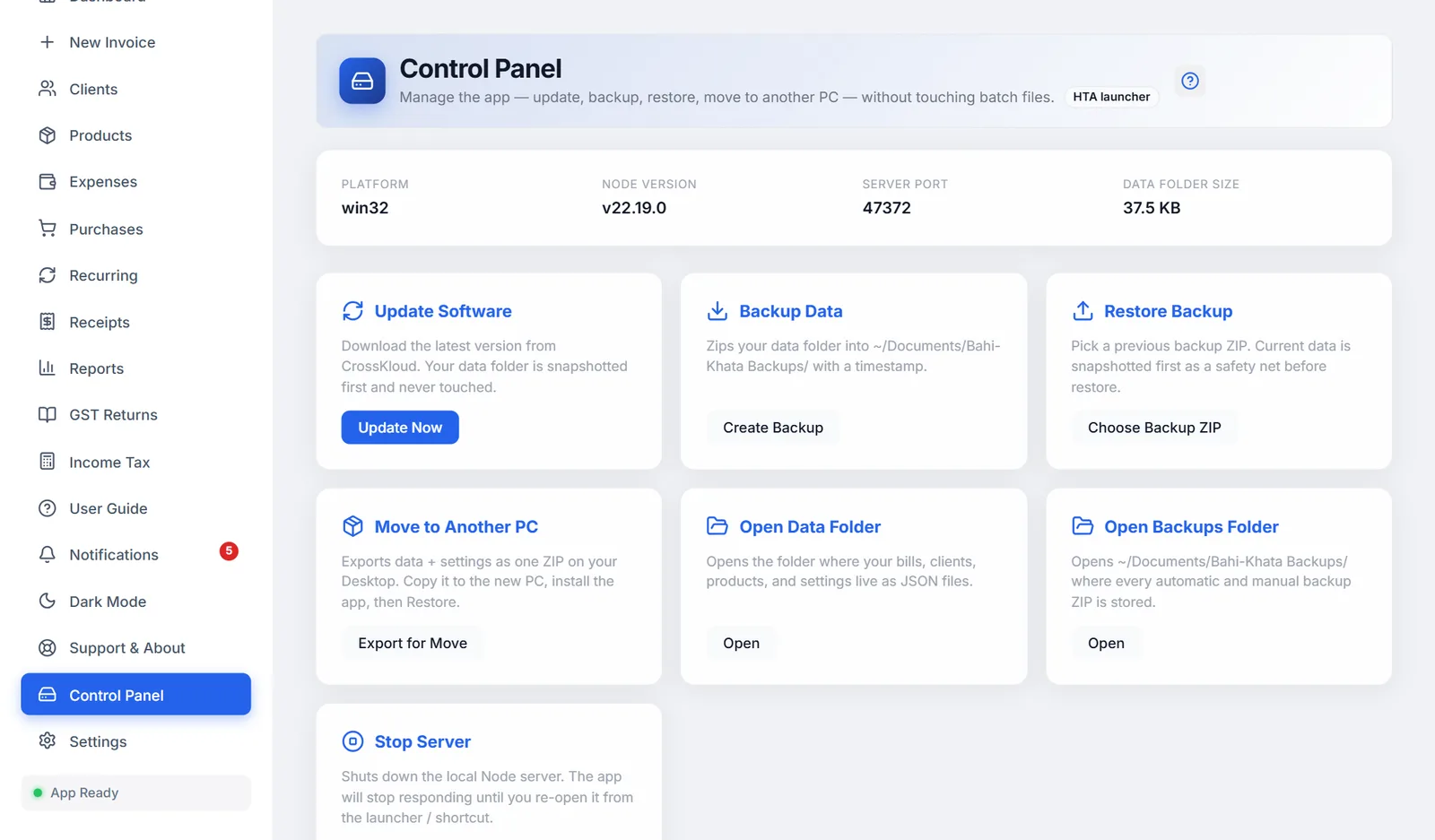
Control Panel in the sidebar does the launcher's jobs without leaving the app. At the top it shows your system, Node.js version, the port the app runs on, and how much space your data takes.
#The buttons
| Card | Button | What it does |
|---|---|---|
| Update Software | Update Now | Downloads the latest version. Your data is backed up first and never touched. |
| Backup Data | Create Backup | Saves your data as a dated ZIP in Documents\FreeGSTBill Backups. |
| Restore Backup | Choose Backup ZIP | Pick a backup ZIP to restore. What you have now is saved first, as a safety net. |
| Move to Another PC | Export for Move | Saves your data and settings as one ZIP on your Desktop. See Moving to a new computer. |
| Open Data Folder | Open | Opens the folder with your bills, clients, products and settings. |
| Open Backups Folder | Open | Opens Documents\FreeGSTBill Backups. |
| Stop Server | Stop Server | Stops the app. Open it again from the launcher or shortcut. |
After each action a panel shows whether it worked, with the details underneath if something went wrong.
#"Update and backup scripts not found"
The Control Panel runs scripts that come with the downloaded ZIP, in the _system folder. This message appears when they are missing, for example when the app was started from source code or copied without them. Install from the downloaded ZIP to get them, or use Export Backup in Settings for your data.
Versions 1.10.44 to 1.10.71 showed this message, then called "Launcher scripts not detected", on every installed copy by mistake. Update to 1.10.72 or later using the launcher's Update to the latest version.
On Linux and macOS only Update and Backup have scripts, so Restore, Move and Stop show Not available here.