
Products and stock
Save what you sell once, then pick it on every invoice. Stock goes down as you sell and up as you buy.
#The product list
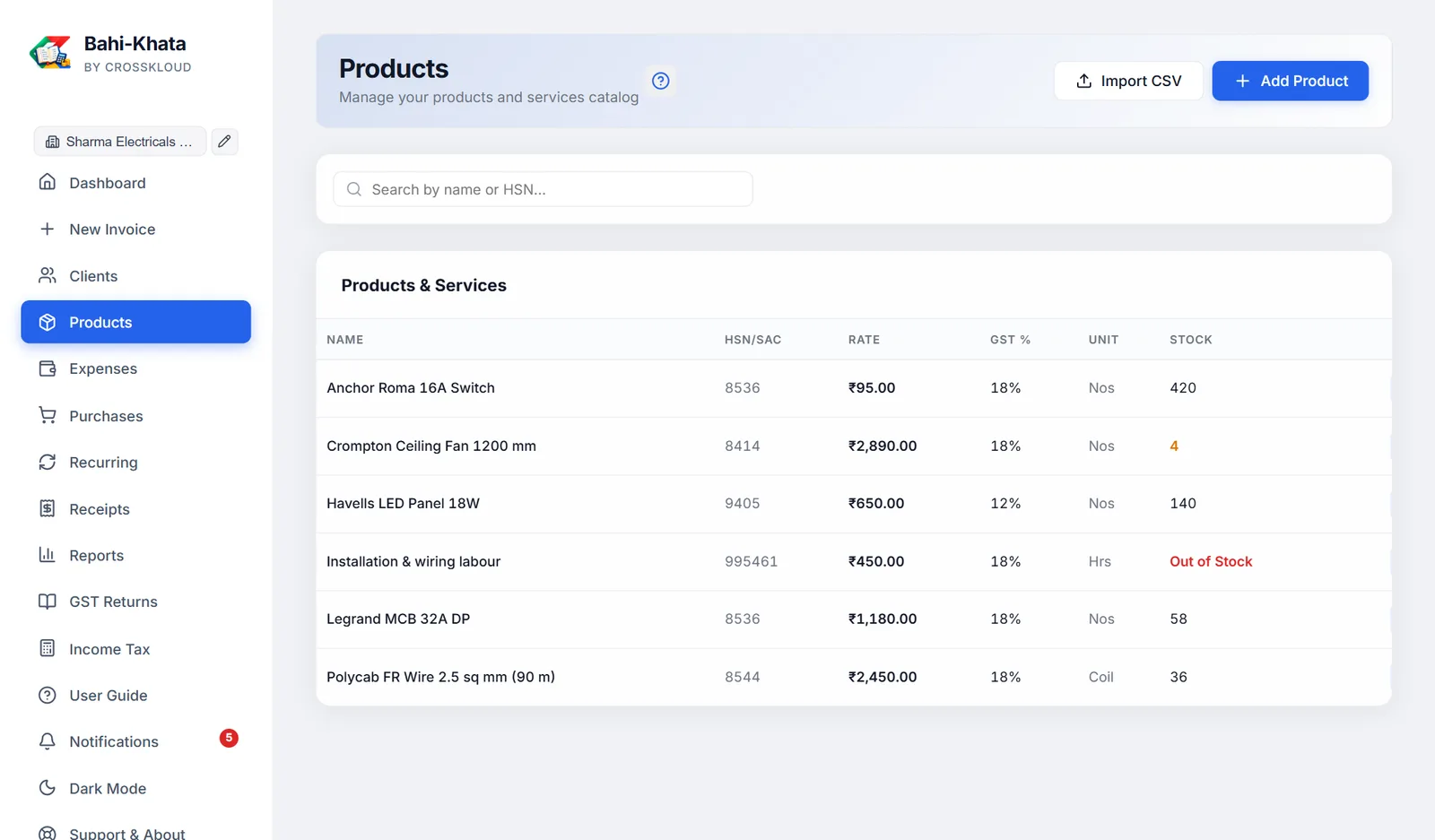
Products in the sidebar opens your catalogue. The table shows name, HSN/SAC, rate, GST %, unit and stock. Point at a name to see its description. Search by name or HSN.
#Adding a product or service
| Field | What to know |
|---|---|
| Product / Service Name | Required |
| HSN / SAC Code | HSN for goods, SAC for services |
| Purchase Price | What you pay the supplier. Filled in on new purchase bills. |
| Selling Price | What you charge. Filled in on new invoices, and shown as the rate in the list. |
| GST % | Type the rate, such as 18 |
| Unit | Pcs to start, or any unit from the list, including your own custom units |
| Stock Quantity | How many you have now |
| Description | For your own reference |
Deleting a product does not change invoices that used it.
#How stock is counted
- Selling: saving an invoice takes the quantity out, for rows picked from your products.
- Buying: saving a purchase bill adds the quantity in, and adds any new item to your products.
- Cancelling an invoice puts its stock back; un-cancelling takes it out again.
Out of Stock shows in red at zero or below. Purchases and deletions never take stock below zero; selling more than you have does, so you notice.
#Low-stock alerts
A product at or below your threshold shows its stock in amber here, is listed on the Dashboard, and adds to the notification bell. The threshold is 5 to start; change it, or turn alerts off, in Settings. It is one threshold for every product.
#Importing products from a spreadsheet
Import CSV loads a price list. The first row must name the columns:
| Column heading | Holds |
|---|---|
name (or product, product name) | Required |
hsn (or hsn code, sac) | HSN or SAC code |
rate (or price) | Selling price |
gst% (or tax%, taxpercent, tax) | GST rate, such as 18. Note: no space before the %. |
unit | Nos if left out |
stock (or quantity) | Opening stock |
description | Optional |
name,hsn,rate,gst%,unit,stock
A4 Paper Ream,4802,280,12,Nos,50
Website Maintenance,998314,5000,18,Month,0
Products you already have (same name) are skipped, so importing the same file twice is safe.